
Club billing
Club billing for tennis clubs with dues and SEPA export
e-MasterClub calculates dues by department and membership type, applies price changes with an effective date, and exports SEPA XML and Excel for a traceable billing workflow.
- Dues by department and membership type
- Price changes with a defined effective date
- SEPA XML and Excel export for the treasurer
SEPA XML export
Excel export
Traceable price changes
Processes, permissions, and rules in one interface
What is club billing for a tennis club?
Club billing is the process of calculating membership dues by department and membership type, applying price changes on a defined date, and exporting the result as SEPA XML for direct debit and as Excel for reconciliation. Because billing is connected to membership records and court bookings, the treasurer works from one traceable data set instead of merging several spreadsheets before every billing run.
Where manual billing costs the treasurer time
Spreadsheets and manual transfers work for a handful of members, but not for a club with regular price changes and departments.
Dues tracked in scattered spreadsheets
Every price change means updating several files by hand, and it's never quite clear which version is current.
Direct debit prepared manually
Without a SEPA export, transfers or debit files are put together by hand, which costs time and invites errors.
No clear audit trail
When a member disputes a charge, there's no quick way to show which price applied and since when.
What club billing covers, in detail
From dues calculation to SEPA export and reconciliation.
Dues by department and membership type
Dues are set per department and membership type, so the right amount is billed automatically for each member.
See it in the demoPrice changes with an effective date
A new price applies from a defined date, so billing before and after the change stays correct without manual correction.
See it in the demoSEPA XML export
Dues are exported as SEPA XML for a direct-debit run through your bank, replacing manual transfer preparation.
See it in the demoExcel export for reconciliation
Billing data exports to Excel for the treasurer, the board, or an external auditor.
See it in the demoConnected to court bookings
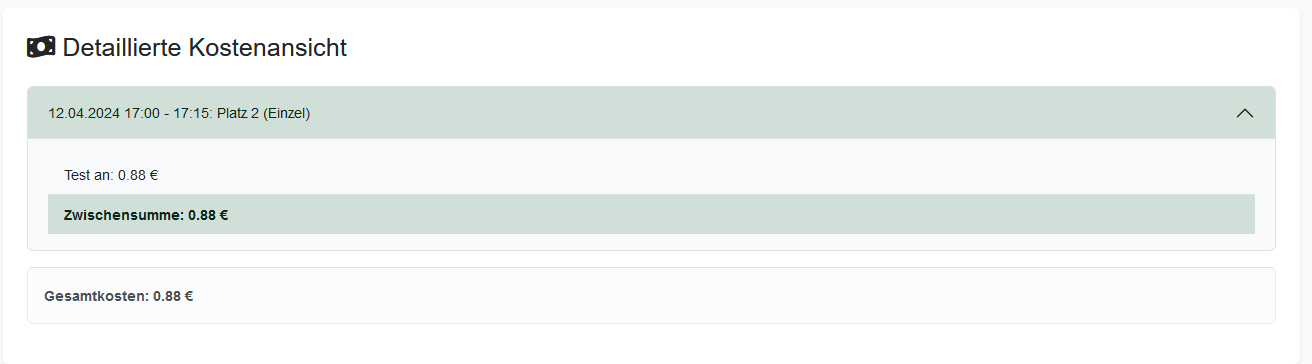
Court and add-on fees from bookings appear alongside membership dues, so every charge is visible in one place.
More about court bookingBased on membership records
Billing pulls directly from member records and department assignments, so no data has to be maintained twice.
More about membership managementBilling is built on membership management and includes fees from court booking. See the full picture on the features overview.
Frequently asked questions about club billing
Direct answers about dues, SEPA export, and price changes.
Dues are calculated per member based on department and membership type, then exported as SEPA XML for a direct-debit run through your bank, instead of preparing transfers by hand.
Yes. Dues are configured per department and membership type, and price changes take effect on a defined date, so historic billing stays correct.
Yes. Billing data can be exported to Excel alongside the SEPA XML file, which supports reconciliation and reporting to the board or an external auditor.
Price changes are stored with an effective date, so billing before and after the change stays traceable and doesn't require manual correction.
Yes. Court and add-on fees from bookings are captured alongside membership dues, so all charges for a member appear in one place.
Next step
See the SEPA billing export live
Request a demo and check how dues, price changes, and the SEPA export would work for your club.